eSIM vs Pocket Wi-Fi in Japan: A Decision Map for Solo Travelers, Couples and Families
A branching decision map for Japan connectivity by group size, number of devices and itinerary, with a side-by-side table of cost structure, pickup, battery and sharing for eSIMs and rented pocket Wi-Fi routers.
Some links in this article lead to partner services. If you make a purchase there, the site may receive a commission; this does not affect the price or our assessment.
Japan is one of the few destinations where the pocket Wi-Fi router is still a mainstream choice rather than a relic. Rental counters sit in every major airport, and the devices work well. At the same time, travel eSIMs for Japan have become cheap and quick to install. Generic pros-and-cons lists do not settle the question, because the right answer changes with who is travelling and how many screens they carry. This map branches on those two facts first, and on the itinerary second.
What each option actually is
A travel eSIM is a data plan downloaded onto the phone's built-in SIM chip. You buy it online, scan a QR code, and the phone connects to a Japanese network, in Airalo's case SoftBank and a second operator according to its Japan page. There is nothing to collect or return. It is data-only, so there is no Japanese phone number, and the plan applies to one device unless you tether.
A pocket Wi-Fi is a rented router the size of a deck of cards. It holds a Japanese SIM and creates a private Wi-Fi network for your devices. Rental companies such as Japan Wireless deliver to airports, hotels and private addresses, and take the device back through a prepaid return envelope dropped in any postbox. Japan Wireless quotes 8 to 10 hours of battery, up to 8 connected devices and a free power bank; Sakura Mobile's routers connect up to 15 devices on SoftBank's network. It is a shared connection, which is both its strength and its cost.
Side-by-side on the things that decide it
Factor | Travel eSIM | Pocket Wi-Fi rental |
|---|---|---|
Cost structure | Per phone, priced by data amount or by day for unlimited plans | Per device rented, priced per day regardless of how many people share it |
Pickup and return | None; install anywhere with Wi-Fi | Airport counter, hotel or address delivery; return by post before the deadline |
Battery | Uses your phone's battery as normal | Separate device to charge; 8 to 10 hours per rental company figures |
Sharing | Hotspot possible where device and network allow, drawing on your plan | Built for sharing; 8 to 15 devices depending on the router |
Devices without a SIM slot | Cannot connect directly; need a hotspot | Laptops, tablets, cameras and children's devices connect directly |
Phone compatibility | Requires an eSIM-capable, carrier-unlocked phone | Works with anything that has Wi-Fi |
Failure modes | Wrong settings, locked phone, installation errors | Dead battery, device left in a hotel, late return fees |
Splitting up | Everyone keeps their own connection | Whoever holds the router has internet; others do not |
The decision map
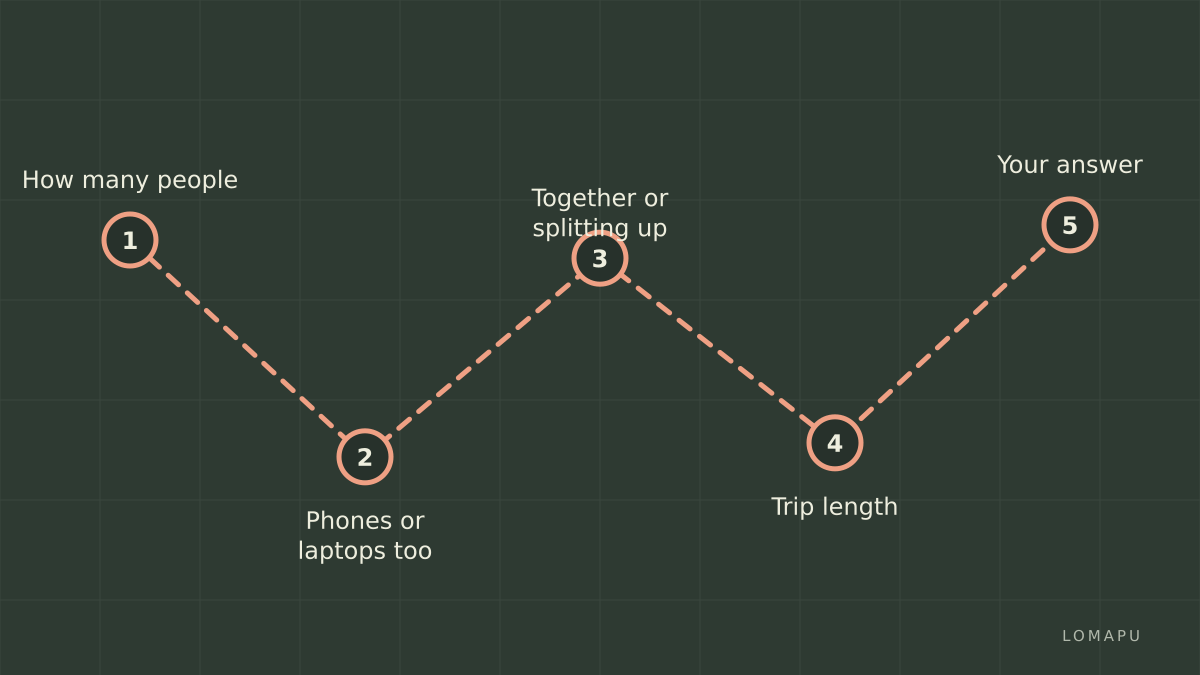
Start at the top and follow the branch that describes your trip.
Branch 1: solo traveler
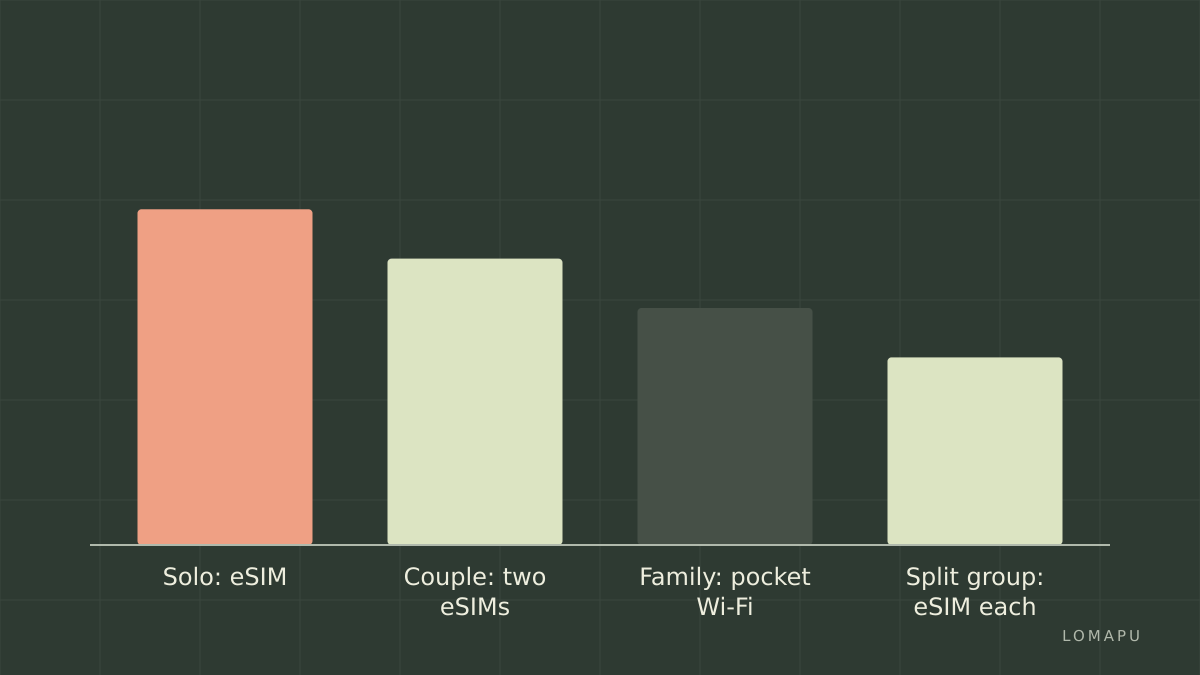
One phone, no laptop. An eSIM, without hesitation. There is nothing to pick up, nothing to charge and nothing to return. Choose a fixed-data package if you mostly use maps and messaging, or a day-priced unlimited plan if you stream video. Airalo's Japan page listed unlimited packages from 3 to 30 days at the time of checking, alongside its fixed-data filter, so pick a Japan package matching your day count and install it before departure.
One phone plus a work laptop. Still an eSIM, if your plan permits tethering. Airalo's help centre states that a personal hotspot works with the eSIM as long as the device and network support it; a laptop used for email and documents adds modest data, and video calls add more. Only if your work involves heavy uploads all day does a pocket Wi-Fi start to make sense for a solo traveler.
Phone does not support eSIM or is carrier-locked. Pocket Wi-Fi, or a physical SIM from a rental counter. This branch ends the eSIM discussion regardless of price.
Branch 2: couple
Two eSIM-capable phones, staying together. Two eSIMs is the default. Each person has their own data, nobody carries a router, and if one of you heads to a museum while the other sleeps in, both stay online. The total cost is two plans; compare it against one router's daily rate for your trip length.
Two phones, one router tempting on price. The router wins on price only if you stay together all day. The moment you split up, one person is offline. Ask honestly how often that will happen. Two separate eSIMs remove the problem; a single eSIM shared by hotspot usually does not, because the sharing phone's battery drains fast and unlimited plans from some providers cap daily hotspot data, as Holafly's Japan page does at 1 GB a day at the time of checking.
One eSIM phone, one older phone. Pocket Wi-Fi is the cleanest fix, or an eSIM on the capable phone with the older phone tethered to it while you are together.
Branch 3: family or group of three or more
Several phones plus tablets for children. Pocket Wi-Fi moves to the front. Children's tablets and handheld consoles have no SIM slot, and a router connects all of them at once for one daily price. The parent who carries it should also carry the power bank. Consider adding a single eSIM on one adult's phone as a backup for when the group splits or the router battery dies; it is a small price for redundancy.
Group of adults who will separate during the day. Each adult gets an eSIM. A router in one person's bag is useless to the others at dinner across town.
Long stay in one city. Compare a month-long eSIM against a monthly router rental. Sakura Mobile, for instance, prices its routers by month with 100 GB or 200 GB allowances and a lower speed after the cap, according to its page; eSIM providers price 30-day plans as a single purchase. For a household of devices in one apartment, the router's shared pool often works out simpler.
Itinerary factors that can flip the answer
Rural routes and mountains. Both options ride the same Japanese networks, so coverage is similar for a given operator. A router does not fix a dead zone.
Late-night arrival. Rental counters keep set hours, and hotel delivery requires the hotel to accept parcels. An eSIM installed before the flight works the moment the plane lands.
Departure from a different airport. Check that the rental company accepts returns by post nationwide; Japan Wireless states that its return envelope can go in any postbox in Japan, with the device due by noon the day after the rental ends.
Many short hops by train. A router is one more thing to keep charged and not leave on a seat. Travelers who move every two days tend to prefer eSIMs for the sheer lack of hardware.
Limitations to weigh before you commit
An eSIM depends on your phone. If the phone is lost, damaged or locked, the plan goes with it, and reinstalling a used eSIM is usually not possible. Airalo's fixed packages run out when the data does and require a top-up, while its validity period cannot be extended; unlimited plans elsewhere often carry fair-use speed reductions. Neither eSIM type gives you a Japanese number, which occasionally matters for restaurant bookings.
A pocket Wi-Fi depends on logistics. It has to be collected, charged, carried and posted back on time, and a group that separates loses coverage for everyone not holding it. Rental prices are per day for the whole trip whether you use the device or not.
Alternatives outside these two exist: a physical prepaid SIM from an airport vending machine or counter, or free Wi-Fi in convenience stores, stations and hotels for very light users. Free Wi-Fi alone rarely holds up for navigation between hotspots.
The short version
Solo travelers and couples with eSIM-capable phones should default to one eSIM each; families and groups carrying tablets and laptops should default to a pocket Wi-Fi with one eSIM as backup. Check your phones for eSIM support and carrier lock before deciding, confirm availability and payment options on the provider's site for your country, and if the eSIM branch is yours, compare Airalo's Japan packages against your expected daily data before you fly.