AOMEI Backupper vs Macrium Reflect: Features, Free Tiers and Restore Options Side by Side
A restore-first comparison of AOMEI Backupper and Macrium Reflect for Windows: what each edition includes, which one still has a free tier, and how the two behave when a disk dies, ransomware hits or you move to a new PC.
Some links in this article lead to partner services. If you make a purchase there, the site may receive a commission; this does not affect the price or our assessment.
Most comparisons of AOMEI Backupper and Macrium Reflect list backup features: how many schedule types, which compression levels, whether there is a cloud option. That is the wrong order. A backup only matters on the day you need to restore, and the two products behave differently in the three situations that actually happen to home users and small offices: a dead disk, an encrypted machine, and a brand-new PC. This guide compares them along those three restore paths first, then fills in the feature table.
The two products in one paragraph each
AOMEI Backupper is a Windows imaging and file backup tool sold in a free Standard edition and paid Professional and higher tiers. The free edition covers system, disk, partition and file backup, scheduled and incremental jobs, bootable rescue media and a recovery environment, and restores of all four backup types. The paid tiers add restoring an image to different hardware (AOMEI calls it universal restore), differential backups, system cloning, cloud backup targets, ransomware protection for backup files and a few administrative extras. The vendor lists Windows 7 through 11 as supported.
Macrium Reflect is a long-running Windows imaging tool from Paramount Software UK. Its current generation, Reflect X, launched in October 2024. The important change for this comparison happened earlier: the free edition was retired, with security patches ending on 1 January 2024. What replaced it is a 30-day trial of the paid Home edition that drops into restore-only mode when the trial ends. In other words, Macrium no longer has a free tier for creating new backups, while AOMEI does.
Restore path one: the disk fails
This is the classic scenario. Your system SSD stops responding, you buy a replacement, and you need Windows, your programs and your files back on it.
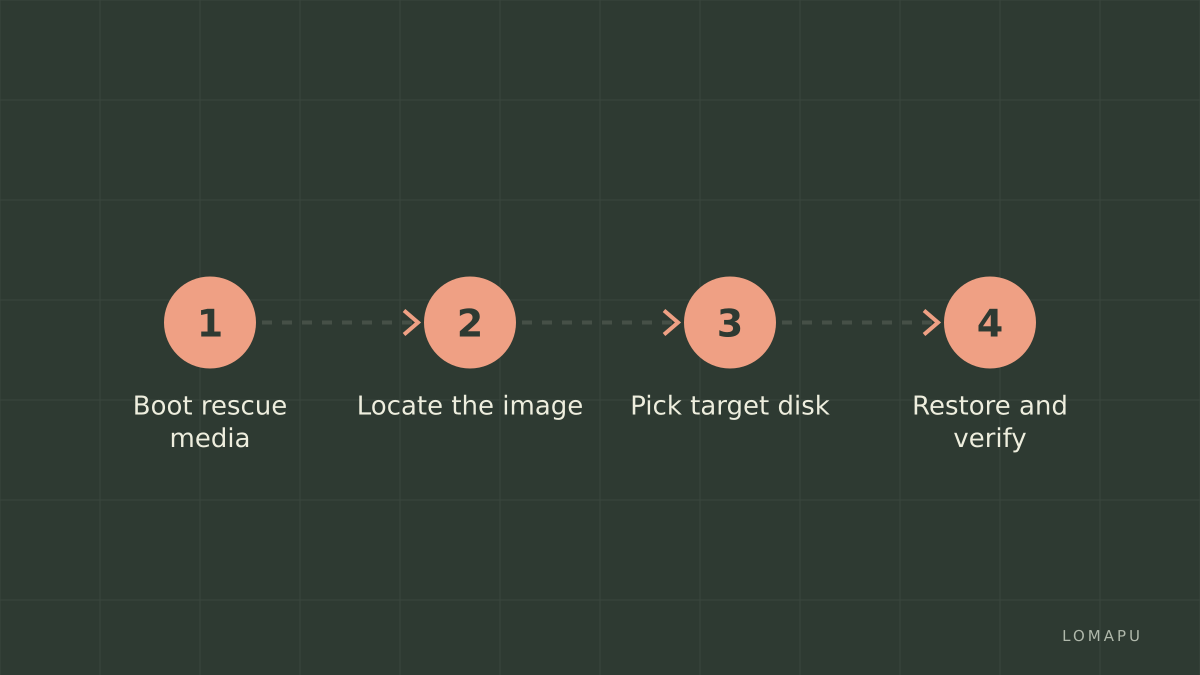
Both products handle this the same way in principle: boot from rescue media you created earlier, point the tool at the image on your external drive, select the new disk as the target and restore. The differences are in the details.
Rescue media. Both let you create bootable media. AOMEI includes this in the free Standard edition, so the full disk-failure path is possible without paying. Macrium requires a licence (or an active trial) to create the image in the first place, but the restore itself works even after the trial has expired.
Restore speed. Macrium's Rapid Delta Restore writes only the blocks that differ between the image and the target disk, which matters when you restore to a disk that already holds an older copy of the same system. AOMEI's Professional tier advertises faster execution than Standard; the free edition is functional but not optimised.
Same hardware, new disk. For a like-for-like disk swap, the free AOMEI edition is sufficient. You do not need universal restore, because the motherboard and drivers are unchanged.
Restore path two: ransomware
Ransomware changes the question from "do I have a backup" to "is my backup still intact". Encryption malware routinely looks for connected drives and network shares, and it will happily encrypt backup archives sitting on an always-attached USB disk.
The most reliable defence is architectural rather than a software feature: keep one copy that is not reachable from the infected machine. The US-CERT paper on data backup options describes this as the 3-2-1 rule: three copies, two media types, one copy offsite. A rotated external drive you unplug after each backup, or a copy on a separate NAS account with its own credentials, satisfies it.
On top of that, both vendors offer backup-file protection, but only in paid editions. Macrium's Home edition includes Image Guardian, which blocks unauthorised processes from modifying Macrium backup files. AOMEI lists ransomware protection for backup files as a Professional-tier feature; the free Standard edition has no equivalent. If you plan to rely on the free version of AOMEI Backupper, treat the unplugged-drive rotation as mandatory rather than optional.
A second ransomware detail: the restore has to be a full image restore, not a file restore. Bringing back documents onto an infected Windows installation does not remove the infection. Both tools can restore a whole system image from rescue media, which is what you want here.
Restore path three: a new PC
You bought a new computer and want your old system, programs and settings on it without reinstalling everything. Windows contains drivers bound to the old chipset, storage controller and network adapter, so a plain image restore often fails to boot.
This is where the two products split most clearly. AOMEI's dissimilar-hardware restore is a Professional feature; the free edition can restore the image, but the vendor's own comparison marks universal restore as limited in Standard. Macrium has long handled this with ReDeploy, a step run from rescue media after the restore that injects the drivers the new hardware needs; confirm on the current Home edition feature list before relying on it. Wikipedia's summary of Reflect X also notes native bare-metal restore for ARM-based Copilot+ devices, which is unusual among consumer imaging tools.
Practical note: even with the right feature, moving a Windows licence to a new PC has its own activation rules, and some software with hardware-locked licences will need reactivation. The imaging tool cannot solve that.
Feature table
Criterion | AOMEI Backupper Standard (free) | AOMEI Backupper Professional | Macrium Reflect Home |
|---|---|---|---|
Free tier for new backups | Yes | No | No (30-day trial, then restore-only) |
System, disk, partition, file backup | Yes | Yes | Yes |
Incremental backups | Yes | Yes | Yes |
Differential backups | No | Yes | Yes |
Scheduling | Daily, weekly, monthly | Plus event triggers | Yes |
Bootable rescue media | Yes | Yes | Yes |
Restore to different hardware | Limited | Yes (universal restore) | Historically included (ReDeploy); confirm current list |
Backup-file ransomware protection | No | Yes | Yes (Image Guardian) |
System clone | No (partition and data disk clone only) | Yes | Cloning included |
Cloud backup target | No | Yes | Not a focus of the product |
Licensing | Free | Paid, per PC | Paid, per PC |
Windows versions | 7 to 11 | 7 to 11 | Modern Windows including ARM |
Rows marked "yes" reflect the vendors' published edition comparisons at the time of checking. Both companies revise edition boundaries, so verify the specific feature you depend on before buying.
Where AOMEI is weaker
An honest comparison has to say where the recommended product falls short. AOMEI's free edition is genuinely useful, but the ransomware protection and dissimilar-hardware restore that matter in two of the three scenarios above are paid features, which narrows the gap with Macrium's paid-only model more than the "free" label suggests. Macrium's imaging engine has a longer track record in technical communities, and its restore-only mode after trial expiry means an old Macrium image is never stranded. AOMEI's interface also surfaces upsell prompts in the free edition, which some users find intrusive.
If neither fits, Windows itself has built-in options: File History for documents and the legacy Backup and Restore tool for a system image. They lack scheduling flexibility and rescue-media polish, but they cost nothing and are a reasonable baseline while you decide.
Decision list
You want a free tool for a straightforward disk swap. AOMEI Backupper Standard covers imaging, scheduling and rescue media without payment.
You have been hit by ransomware before, or store client data. Either Macrium Home with Image Guardian or AOMEI Professional, combined with an unplugged rotation drive. The software feature is a supplement to the offline copy, not a replacement.
You plan to migrate to a new PC within the year. Budget for a paid tier on either side; the free AOMEI edition is not the right tool for that job.
You have old Macrium images. Keep Macrium installed; restore-only mode still reads them.
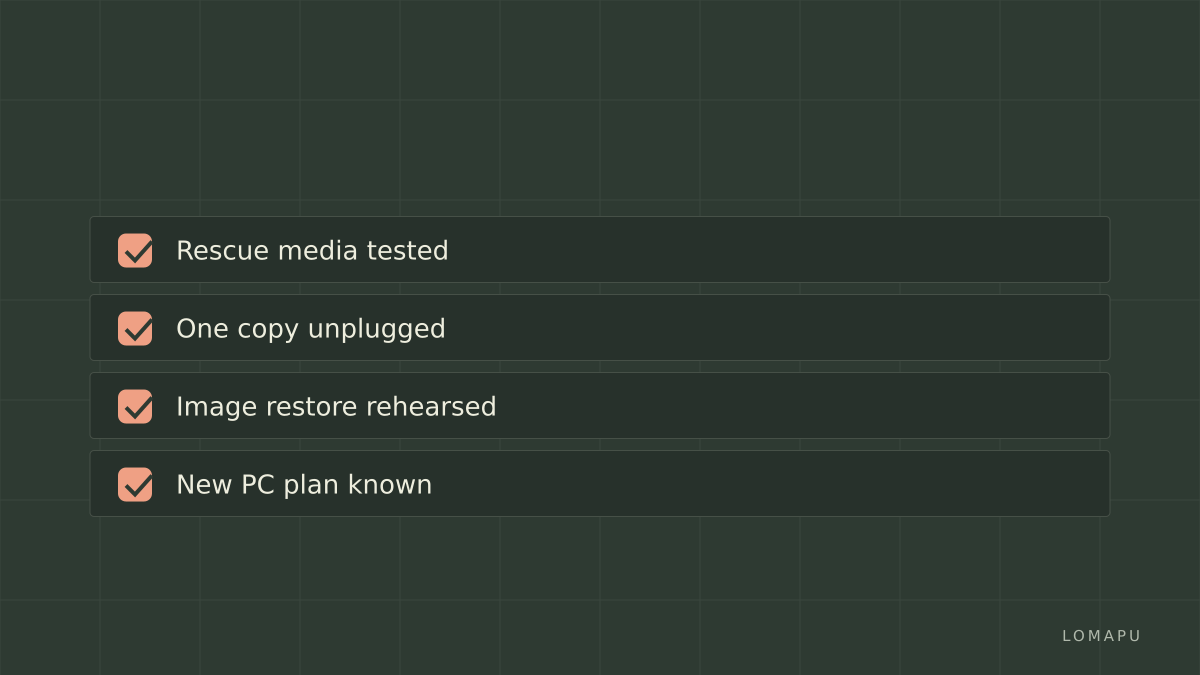
Conclusion
Judged by restore paths rather than feature counts, the two tools are closer than their pricing suggests. AOMEI wins on cost for the common disk-failure case, because its free edition includes everything that scenario needs. Macrium has the edge on maturity of its imaging engine and on protecting backup files by default in its paid edition. For the new-PC scenario both require paying. If you start with the free edition of AOMEI Backupper, build the habit that matters more than any feature: rehearse one full restore from rescue media before you need it.