Mailchimp Alternatives for Small Businesses: Pricing Tiers and Automation Compared
Outgrowing Mailchimp's free plan? This comparison lays out how GetResponse, MailerLite and Mailchimp price by contact count, which tier unlocks real automation on each, and a migration checklist so the switch does not break your deliverability.

Some links in this article lead to partner services. If you make a purchase there, the site may receive a commission; this does not affect the price or our assessment.
The moment most small businesses look for Mailchimp alternatives is predictable: the free plan runs out. At the time of checking, Mailchimp's free tier stops at 250 contacts and 500 sends a month, and the first paid tier limits automation to four steps per flow. If you have a shop, a studio or a consultancy with a few hundred customers, that is exactly when you want a welcome sequence, an abandoned-cart nudge and a re-engagement flow, and exactly when the bill starts. This page compares the realistic alternatives on the two things that decide the cost: how pricing scales with contacts, and which tier gives you multi-step automation.
How the pricing models differ
All three platforms compared here price primarily by the number of contacts on your list, with tiers that step up as the list grows. The differences are in where the steps fall, what the entry tier includes, and the currency.
Element | Mailchimp | GetResponse | MailerLite |
|---|---|---|---|
Free option | Free plan: 250 contacts, 500 sends a month | 14-day trial, no credit card | Free plan: 250 subscribers, 2,500 emails a month |
Entry paid plan (list price, smallest tier) | Essentials from US$13 a month for up to 500 contacts | Starter from EUR 16 a month for up to 1,000 contacts (EUR 13.12 on yearly billing) | Comfort from US$12 a month |
Mid plan | Standard from US$20 a month | Marketer from EUR 54 a month | Power from US$25 a month |
Top plan | Premium from US$350 a month | Creator from EUR 62 a month; Enterprise custom | Enterprise custom |
Contact tiers | Steps from 500 contacts upward | 1,000; 2,500; 5,000; 10,000; 25,000; 50,000; 100,000 | Steps by subscriber count |
Send limits on paid plans | Scaled multiple of contact count | Unlimited monthly sends | Comfort limited; Power unlimited |
Yearly discount | Discount on 10,000+ contacts for first year | Saves an additional 18 percent | Yearly billing available |
Prices are the list figures shown on each pricing page at the time of checking, before tax and promotions. Note the currency split: Mailchimp and MailerLite display US dollars, GetResponse displays euros on its pricing page for this region; your checkout may differ, so compare in the currency you will actually be billed in.
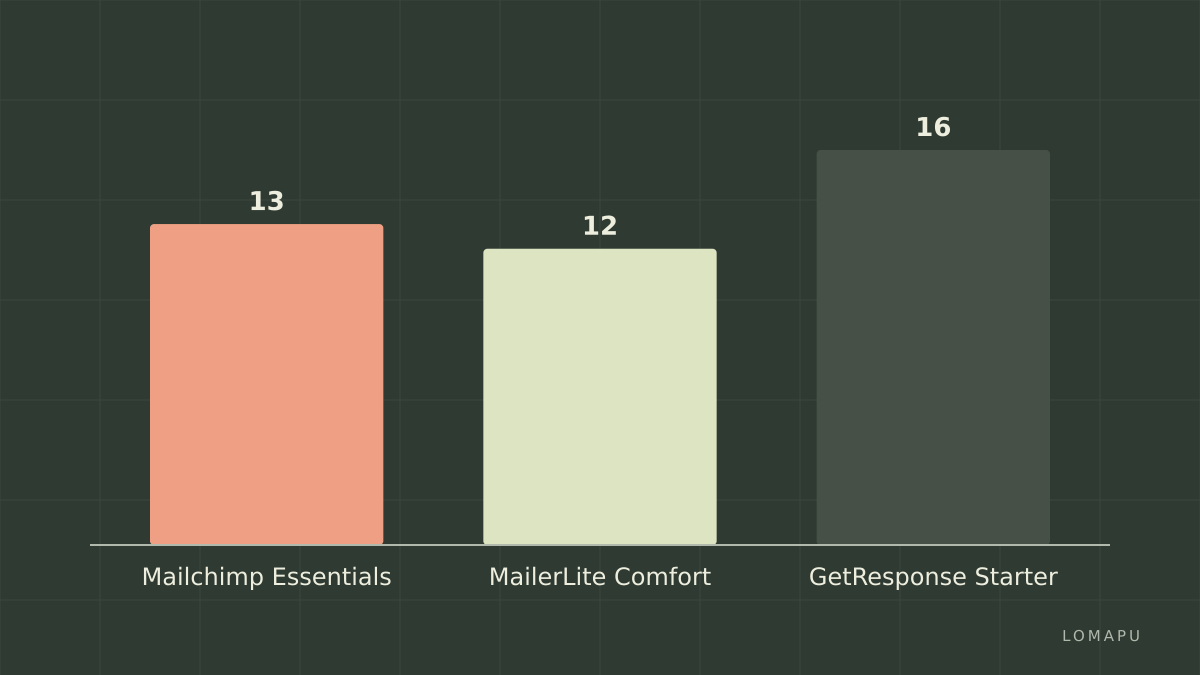
Two structural points stand out. Mailchimp's send limit on paid plans is a multiple of your contact count, so a business that emails frequently can hit it; GetResponse removes the send cap entirely on paid plans. And GetResponse's smallest tier covers 1,000 contacts against Mailchimp's 500, which changes the comparison for a list between those two numbers.
Where automation actually unlocks
Cheap entry plans are cheap because automation is where the vendors hold back. This is the matrix that matters if you are leaving Mailchimp for automation reasons.
Automation capability | Mailchimp | GetResponse | MailerLite |
|---|---|---|---|
Entry paid plan | Essentials: flows limited to 4 steps | Starter: 1 custom workflow included | Comfort: 50 active automations, 100 steps each |
Multi-step, branching journeys | Standard and above (up to 200 flows) | Marketer and above (unlimited workflows) | Comfort and above |
Unlimited automations | Standard and Premium, subject to the 200-flow cap | Marketer, Creator, Enterprise | Power and Enterprise |
Webinars built in | No | Creator plan, up to 100 attendees | No |
Free tier automation | Not on the current free plan | Trial only | 3 active automations, 5 steps each |
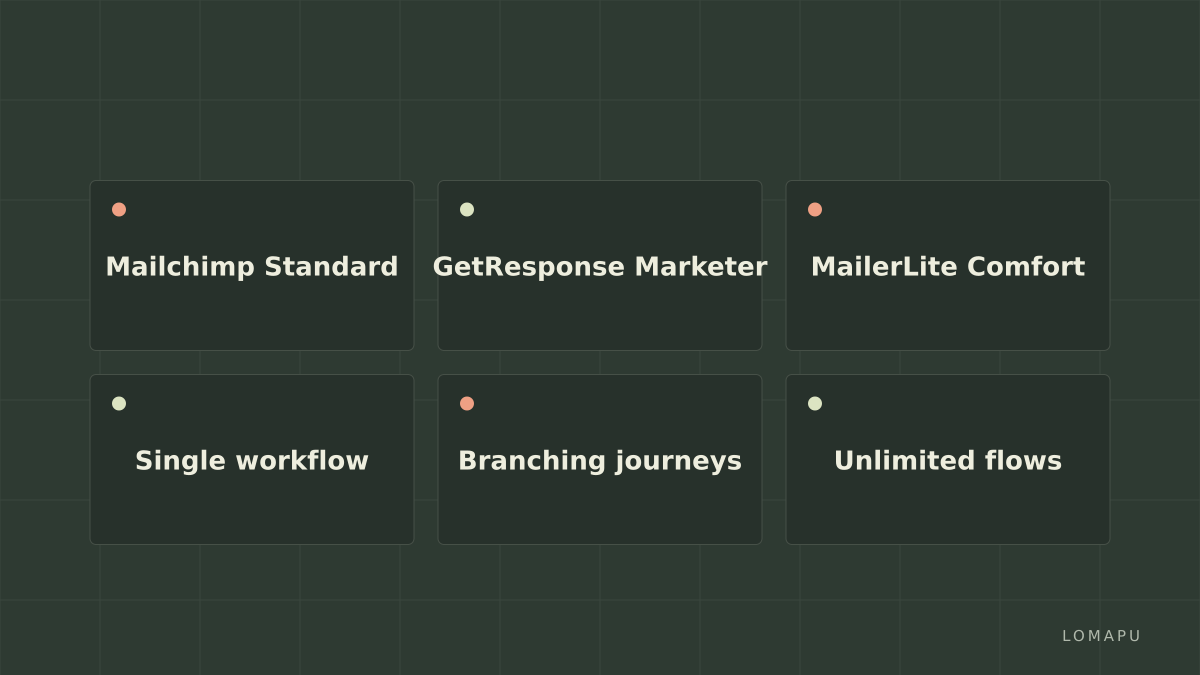
Reading the matrix: MailerLite is the cheapest path to real branching automation, because its entry paid plan already includes it. GetResponse's entry plan gives you a single custom workflow, which is enough for one welcome sequence and nothing more; the jump to Marketer is where automation becomes unlimited, and that jump is the largest price step of the three. Mailchimp's own Standard plan is competitive on automation, which is worth saying plainly: if the only problem is the four-step limit, upgrading within Mailchimp is a legitimate option.
What GetResponse adds, and what it costs you
GetResponse is the most complete of the three as a marketing suite rather than a mailer: landing pages, forms, a website builder, sales funnels, and on the Creator plan, webinars and paid course hosting. For a small business that wants one bill instead of a mailer plus a webinar tool plus a landing-page tool, that consolidation is the argument.
The honest limitations are real. The Starter plan's single custom workflow makes it a poor choice if automation is the reason you are leaving Mailchimp; you will need Marketer, and Marketer is priced well above the entry plans of the others. The interface is denser than MailerLite's and takes longer to learn. Pricing is displayed in euros for many visitors, which complicates comparisons for US-based businesses. And the send-time and reporting features that make the suite attractive are spread across tiers in ways that require careful reading of the plan table.
MailerLite is the natural alternative if you want simplicity and low cost with automation from the first paid plan. Brevo, which prices mainly by sending volume rather than list size, suits businesses with large, quiet lists; check its site for current tiers. Kit (formerly ConvertKit) is the creator-focused option if your business is a newsletter.
Decision list by scenario
List of 300 to 500, one welcome sequence, tight budget: MailerLite Comfort, or stay on Mailchimp Essentials if four steps are enough.
List of 500 to 1,000, frequent sends: GetResponse Starter removes the send cap and covers the full range in one tier, provided one workflow suffices.
Branching automation with several journeys: MailerLite Comfort for lowest cost; GetResponse Marketer if you also want the funnel and landing-page tools; Mailchimp Standard if you would rather not migrate.
Webinars or paid courses alongside email: GetResponse Creator is the only one of the three with it built in.
Large list, few sends: Brevo's volume-based pricing is worth a look.
Migration checklist
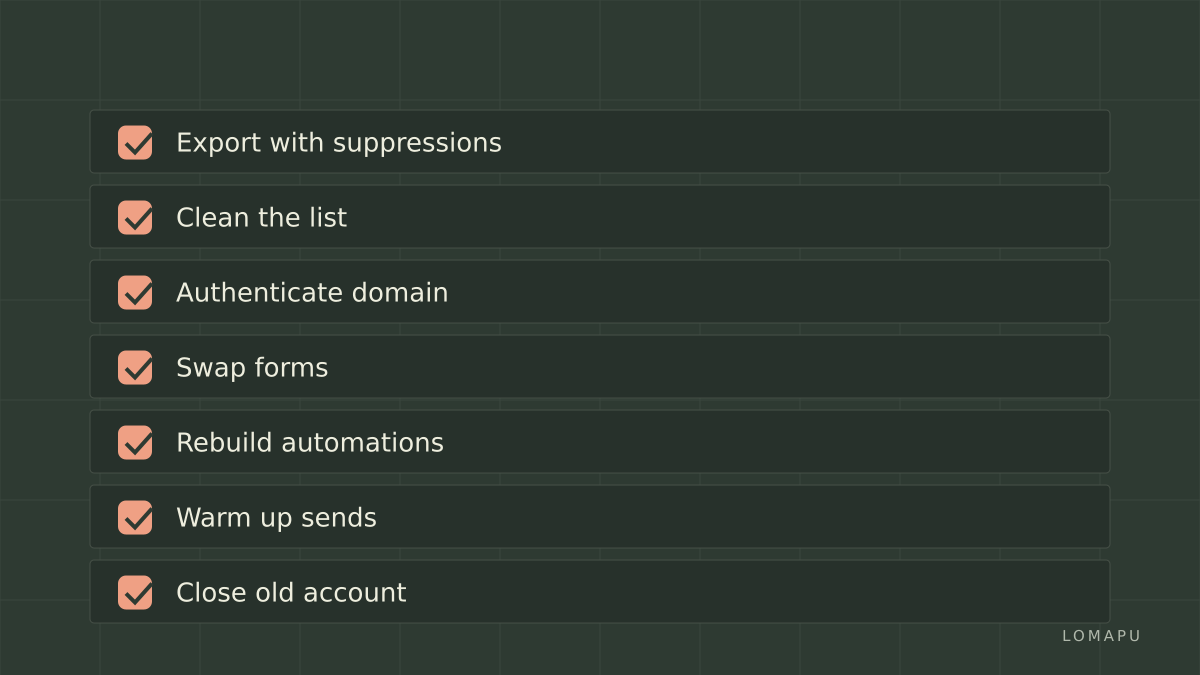
Switching platforms is mostly a deliverability exercise. Do these in order.
Export everything from Mailchimp: contacts with tags and signup dates, unsubscribes, bounces, and the templates you still use. Unsubscribes and bounces matter most; importing them as suppressions is what keeps you compliant.
Clean before you import. Remove addresses that have not opened in a year; a smaller, engaged list improves sender reputation on the new platform.
Authenticate your domain. Set up the DKIM and SPF records the new platform gives you before sending anything. This is the step that, skipped, sends your first campaign to spam.
Rebuild forms and swap embed codes on your website, checkout and social profiles. Old Mailchimp forms keep collecting into a list you no longer read.
Recreate automations by hand, starting with the welcome sequence. Automations do not export; treat this as a chance to simplify.
Warm up. Send the first campaigns to your most engaged segment, then widen over two or three sends.
Run both for one cycle. Keep the Mailchimp account open until the first full campaign on the new platform has reported, then close it.
Conclusion
The right Mailchimp alternative depends on why you are leaving. If it is only the four-step automation limit, Mailchimp's own Standard plan or MailerLite Comfort solve it cheaply. If you want one platform for email, landing pages, funnels and webinars, GetResponse is the most complete suite here, with the caveat that meaningful automation starts at its Marketer tier rather than Starter. Whichever you choose, confirm current prices and contact tiers on the vendors' sites, and treat the migration as a deliverability project first and a feature upgrade second.